Showing posts with label 1999. Show all posts

4.18.2025

First pics with the Leica Digilux Zoom...

So, I've got a Fuji-branded 32MB SmartMedia card in the Digilux Zoom. With image quality set to "Fine", which is 1280x1024 pixels, that gives me 46 images worth of capacity.

While that resolution is comically low by today's standards (your typical 24MP camera is more like 6000x4000), remember that in 1999 most folks were still looking at images on 1024x768 pixel CRT monitors and those photos were being transmitted via dialup modems as often as not. A 760k image file was big.

I have white balance set to auto. 


The Leica's ISO is fixed at the native 125; even in Manual mode you can't change it. Indoors shots obviously require flash.


The screen washes out in sunlight. Fortunately it also has a tunnel-type optic viewfinder.


4.16.2025

Badge Engineering


Leica's first attempt at entering the consumer digital market happened in 1998 with the Digilux, a 1.5MP camera that was a re-badged Fuji.

In late 1999 it was replaced with the Digilux Zoom, a similarly reskinned Fujifilm MX-1700 (also known as the Fujifilm FinePix 1700 in the U.S. market.)

The Digilux Zoom boasted a Fujinon 6.6-19.8mm f/3.2-5.0 zoom lens, which combined with the crop factor of the 1/2.3" CCD sensor to give an equivalent focal length range of 38-114mm on a 35mm camera, which is a useful all-in-one zoom length.


While the body was a solid-feeling construct of aluminum and magnesium, the control layout was haphazard and the opposite of ergonomic. 

The camera used SmartMedia cards to store images and had no USB ports, so you'll need a SmartMedia-compatible card reader if you want to download images.

I'll play with this thing a bit and write an actual review.

4.19.2024

Blast from the past...

An ad from a 1999 issue of FamilyPC magazine for the new Sony Mavica digital camera!


1.30.2024

Re-Shoots

I used the Amazon gift card Bobbi gave me for my birthday to order a used Kodak Easyshare V1073.

Now I have a copy of each digicam I used before getting my first DSLR:
  • Sony Mavica FD88
  • Nikon Coolpix 990
  • Kodak Easyshare V1073
  • Canon PowerShot SX500
Now to go back and see if I can reshoot some things I shot back in the day, using the same gear, but do it better! The arrows are the same, but the Indian's gotten a bit better over the years, or at least I'd like to think so.

Alas, I won't be able to re-do the Lucky Gunner Blogger Shoot, or Knob Creek, or classes with Louis Awerbuck and Todd Green, or...

Kodak Easyshare at Knob Creek in 2011


10.24.2021

At the Controls

Compared to a modern digicam in the same price bracket, the controls on the Mavica FD88 are fairly spartan...

Just barely visible on the left side of the camera is a two-position up/down slider switch to set focus to Auto or Manual. In manual mode, focus is adjusted by spinning a ridged chrome metal ring around the lens that's not actually physically coupled to anything; it's just a rotary electronic input.

There are switches on the left side of the back panel there for turning the LCD illumination on or off, adjusting display brightness, and playback volume for the camera's beeps and video playback. Arranged vertically down the right-hand side are the zoom control (left for wide, right for tele), the power button with its bright green safety tab, and the eject button for the diskette. Fortunately disk ejection is manual so that even if the battery goes toes up, you can still pop the disc out and get your files to a computer via sneakernet.

The cluster of controls on the bottom center and left include a slider that controls whether the camera records stills, video, or is in playback mode. The "display" button toggles through the various settings on the viewscreen, depending on how much info you want cluttering the margins while you're trying to shoot.

The flash control toggles through On, Off, and Auto, while "Program" presets the exposure to favor various settings, or it can be left in the default Auto.

The "Picture Effect" button gave various JPEG adjustments. There was a B&W setting as well as a Negative one, the latter reversing the colors, as you'd expect.

There was also Sepia:

...and Solarize:

The round D-pad looking button was toggled upward to enter the camera's menu system on the screen and then for navigating around inside the menus.

There were toggles for the self-timer and macro modes (macro could focus surprisingly close on these, down to a couple inches).

Then there was the File submenu...

In there you had the disc tool for formatting or copying, the image size submenu for selecting resolution, the quality submenu to toggle between Fine and Normal JPEG compression, and "Rec Mode". The latter was interesting because it could be toggled between NORMAL, which just took a picture; VOICE, which let you record a short audio note with each still photo; and EMAIL, which saved a compressed 320x240 thumbnail along with each JPEG that was suitable for attaching to emails in the days of limited bandwidth.

Then there was the Camera submenu...

Digital Zoom let you toggle that feature off, which you should if you don't want to accidentally junk your resolution every time you try to take a long telephoto shot. White Balance lets you preselect for certain lighting conditions, although even back in '99 the Auto setting worked surprisingly well. Flash Level is what it sounds like, and Exposure gives you plus or minus 1.5EV of exposure compensation in .5EV increments.

I used the FD88 to shoot some of the first gun pictures I ever put on internet forums twenty years ago.


Playing with it today is a big nostalgia kick!

.


10.19.2021

Origin Stories

While it's one of the largest camera companies these days, Sony was not traditionally a camera company. It wasn't until the digital era that they put their corporate toe in photographic waters.


A clue to the origins of their photographic endeavors can be found in the name of this camera. See, "Mavica" isn't one of those made-up focus group words, but rather a portmanteau of "MAgnetic VIdeo CAmera".

Sony had long been a provider of consumer- and professional-grade video cameras and as far back as the 1980s had dabbled with making stills cameras that would store pictures that were essentially a single frame of analog video signal on a specialized 2" Video Floppy magnetic disc.

The breakout for them was the Digital Mavica line of the late '90s, starting with the Digital Mavica MVC-FD5, which stored images as digital jpeg files on a conventional 3.5" 1.44MB floppy.

This was a huge success in the US, hitting the market just as broadband internet access was growing by leaps and bounds. Instead of needing specialized cables or a card reader, you could snap a picture of your car or your cat or your gun or your boat or your garden and upload it to the internet for all your friends on your hobby forum to gawp at.

Real Estate agents loved the things. You could snap pics of a listing and get them onto the 'net without having to stop by a photo lab or scan anything. They were found in medical and dentistry offices, schools, cop cars, and anyplace else people needed to get pictures on the net quickly.

The very thing that made them popular, however, contained the seeds of their downfall.

Storage on a floppy was limited and slow. In 1024x768 resolution with image quality set to FINE, a disc would only hold six to eight shots, even fewer in 1280x960.

At the same time, the iMac and iBook were surging in popularity; suddenly not every computer had a 3.5" floppy disc, which had been a staple feature of desktop computing for nearly a decade. Sony, a company never afraid to throw a bunch of stuff on the wall to see what stuck, briefly dabbled with a Mavica line that wrote to a mini optical CD-RW disc (wouldn't that be an "Opvica" rather than a "Mavica"? Anyway...)

The writing was on the wall for the Mavica line by 2001. They went from being seemingly everywhere to being quaint antiquities that recorded images on a mysterious object shaped like a "SAVE" icon in a surprisingly few years. Popping a disc out of a Mavica in public today will get even more baffled looks than removing a roll of film.

.

10.18.2021

Optical Zoom, Digital Zoom

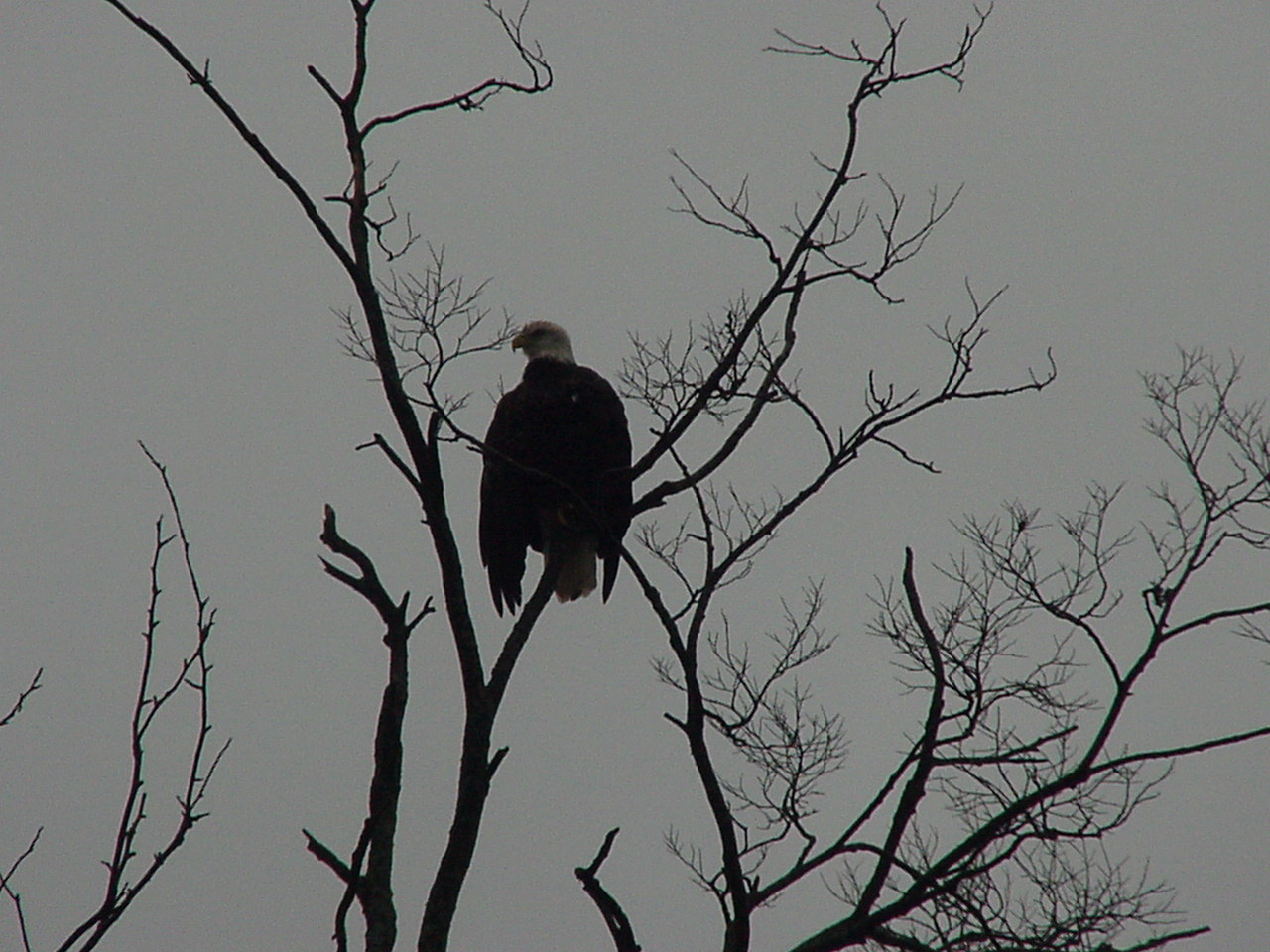
Leaving a friend's house the other day, he spotted a bald eagle perched in the top of a tree across the street.

Using the Wide/Tele rocker on the Mavica, I ran it out to the full optical zoom. You have to be careful when doing this because the indicator will slide across the W->T scale and pause only briefly at the hash mark that indicates you've run out of optical zoom and the camera is going to start applying "digital zoom", i.e. cropping, to get out to its full claimed 16X zoom range.


The lens on the FD88 is a 4.75-38mm f/2.8-3 zoom which, given the 7.21x crop factor of the tiny 1/3" sensor, has a focal length equivalent to a 34-270mm lens on a full-frame sensor. Also, the Mavica can only shoot in its base ISO of 100, although given how noisy it would be at higher ISOs, that's probably not a problem.

Anyhow, here we are using the maximum optical zoom to try and get a picture of the eagle, at full resolution on the "Fine" setting:


I also had the Nikon D800 with me. It was an overcast day and I'd had the ISO set at 400, and the lens I had on the camera was Nikon's trusty 24-120mm f/4 VR, which is a good lens but 120mm isn't a lot of reach on a full-frame sensor.

Here's what the shot looked like with the D800:


Thing is, the D800's 36MP sensor, which has over 27 times the photosites and nearly fifty times the physical area of the one on the elderly Sony, allows one to crop very aggressively if necessary...


10.17.2021

Space and Resolution


I spent some time exploring the different resolutions on the Mavica FD88 the other day. Basically you have three different resolutions in which you can record jpegs, and you also have the choice of recording in either "Fine" or "Normal" quality, which controls the compression on the jpeg.


The Mavica FD88 could shoot in 640x480 "Standard" which was a pretty aggressively compressed jpeg, to fit the most pictures possible on a 3.5" 1.44MB disc. This image is only 66kb. Of course in 1999, there was a good chance these photos would need to be transmitted over a 56k dialup connection.


This shot was at 1024x768 resolution, also "standard" compression. This was 130kb, so you could fit a lot fewer of them on a floppy. This was also the most common monitor resolution at the time, so if you smeared this across a 17" CRT screen, compression artifacts would be getting noticeable.


A max resolution 1.3 megapixel image, 1280x960 pixels, shot in "Fine" quality, took up 320kb on a 1.44MB floppy.

Depending on how busy the images were, you could only get three to five of these max resolution Fine quality jpegs on a disc.

Still, with images increasingly being viewed on handheld screens, this 1999 camera picture has more resolution than can be fully displayed on a 2012 Samsung Galaxy S III.


This last image, an 8688x5792 pixel jpeg, was shot with a Canon EOS 5DS. 

Funnily enough, despite being so large that you would need nine or ten 3.5" floppies to hold it all...this picture file is bigger than an entire Windows 3.11 install...it doesn't hold up to pixel-peeping very well.

As an experiment I was using an old EF 28-135mm IS USM lens that came out in 1998. It works fine on older digital cameras and is plenty for film, but just isn't very sharp anywhere when you zoom in on a fifty megapixel image. 

Add in the compression of viewing it online on a screen with a fraction of its native resolution, and that's a lotta wasted data. (The RAW file is 57.3MB before processing in Adobe Photoshop Camera Raw. That's bigger than an uncompressed Win95 install.)

.

10.14.2007

Hidden Advantage

Marko writes about the retirement of my old Sony Mavica FD. It really is an obsolete system, with its non-standard battery pack and a resolution bettered by most cell phones these days.

The Mavica FD had one thing going for it however, the reason I bought it back in late 2001: With its photos being stored on its built-in 3.5" floppy drive, its storage may have been limited, but spare disks could be acquire anywhere. Also, what other digicam could interface, dongle-free, with any desktop computer built since the late '80s?